Print Bed
Print Bed describes the print bed once: how large the plate is,
where the plate is in the Rhino document, and where a part is placed by
default. The bed output is connected to Place,
Robot Simulation, and Live View, so that all of
them use the same bed.
Panel: 2 Place. Nickname: Bed. Compute button: no (runs on every change).
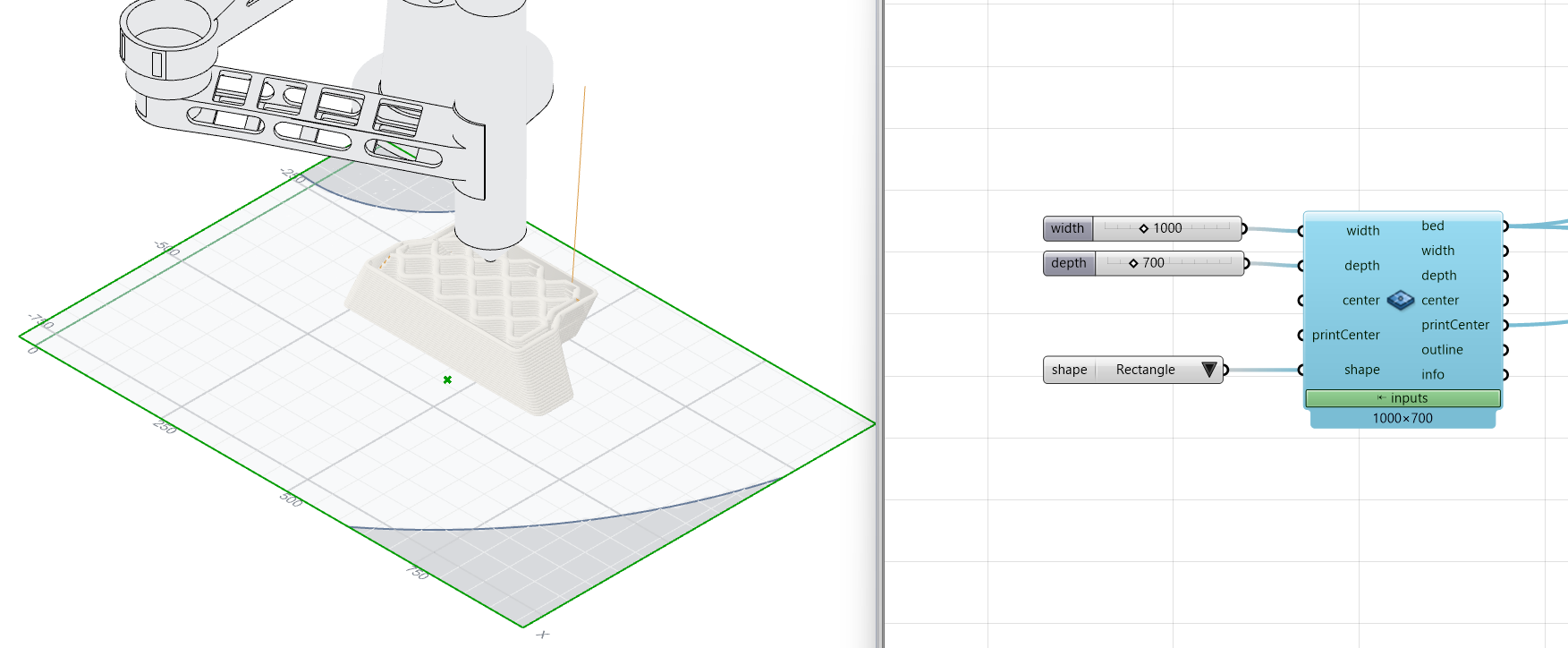
Inputs
| Name | Type | Default | Description |
|---|---|---|---|
width |
Number | 1000 | Bed plate width along Rhino X, mm (the full axis for an ellipse) |
depth |
Number | 700 | Bed plate depth along Rhino Y, mm (the full axis for an ellipse) |
center |
Point | Plate center in Rhino document units, used for the plate outline and preview | |
printCenter |
Point | Default part bottom-center position in Rhino document units, forwarded to Place | |
shape |
Integer | 0 | Plate shape: 0 = rectangle (default), 1 = ellipse. Equal width and depth make a circle |
Outputs
| Name | Type | Description |
|---|---|---|
bed |
Text | Print Bed definition. Wire it into the bed input of Place, Robot Simulation and Live View |
width |
Number | Bed width, mm |
depth |
Number | Bed depth, mm |
center |
Point | Plate center in Rhino document units |
printCenter |
Point | Default part bottom-center position in Rhino document units |
outline |
Curve | Plate boundary curve in Rhino document units |
info |
Text | Bed summary |
Back to Components.