Overhang
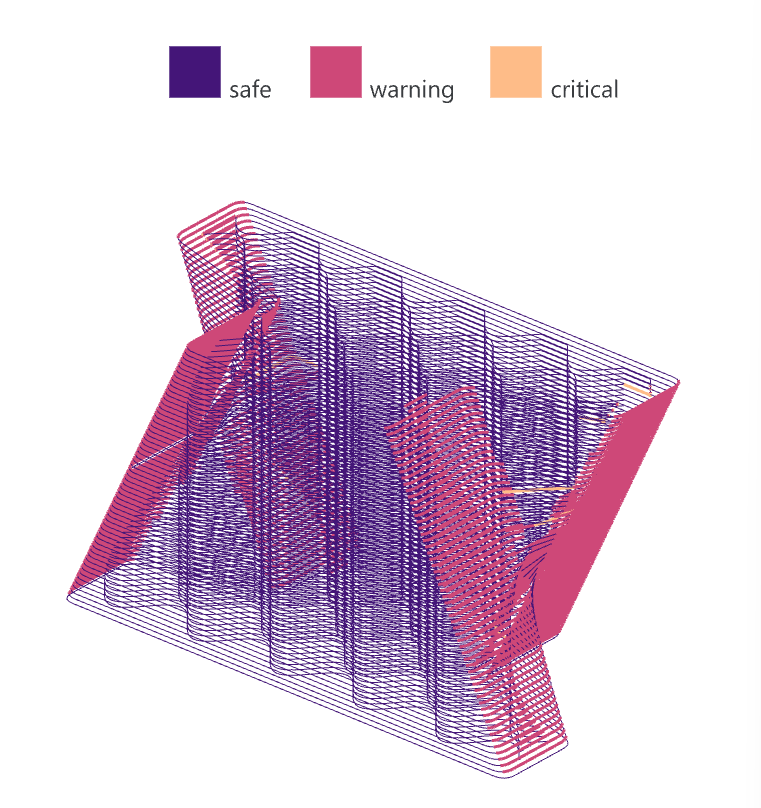
Overhang checks how far each part of a layer hangs out over the
layer below. Colours come from the magma ramp: in the default class mode
segments within the warning angle are deep purple, segments between the
warning and the failure angle are red-orange, and segments beyond the
failure angle are light orange; colorMode 1 instead colours every
segment on a continuous magma ramp from 0° to the failure angle. The
default angles of 25° and 45° are placeholders and should be measured
for your material with a test print of a stepped cone. The global
toggle chooses what the angle is measured from: off, the layer’s own
normal (local, the layer-on-layer stagger); on, world Z (global, the lean
against gravity). The two agree on planar layers and differ on conical
ones. The component has a compute button.
Panel: 5 Analyze. Nickname: Overhang. Compute button: yes (runs only when the button is clicked).
Inputs
| Name | Type | Default | Description |
|---|---|---|---|
contours |
Curve (tree) | Sliced contour tree from Slice or Place, one branch per layer, or per object and layer | |
warnDeg |
Number | 25 | Warning threshold, deg from the build direction. The global input picks the local layer normal or world Z. Calibrate per material |
failDeg |
Number | 45 | Critical overhang angle in deg from the selected reference direction, calibrated for the material |
tol |
Number | 0.5 | Curve linearization tolerance, mm |
colorMode |
Integer | 0 | 0 = classes (safe, warning and critical in magma hues), 1 = continuous magma ramp from 0° to failDeg, saturating above |
global |
Boolean | false | Use world Z for thresholds and colors when true, or the local layer normal when false |
Optional group: CSV export input
Right-click the component to switch this group on. The inputs appear only while the group is enabled.
| Name | Type | Description |
|---|---|---|
csvPath |
Text | Optional .csv file path for the summary per layer, written on compute |
Outputs
| Name | Type | Description |
|---|---|---|
angles |
Number (tree) | Local overhang angle per segment relative to the layer, deg, one branch per contour. Always the local reading, whatever global says |
anglesWorld |
Number (tree) | Global overhang angle per segment against world Z, deg. Always the global reading |
summary |
Text (list) | Summary per layer as CSV lines: max overhang and the percentage above each threshold. The percentages follow global |
info |
Text | Diagnostics |
legend |
Text | Legend definition text for Legend, matching the selected angle reference, thresholds and colors |
colors |
Colour (tree) | Color per segment in the active color mode and reference, cut like angles, for a custom preview |
Back to Components.